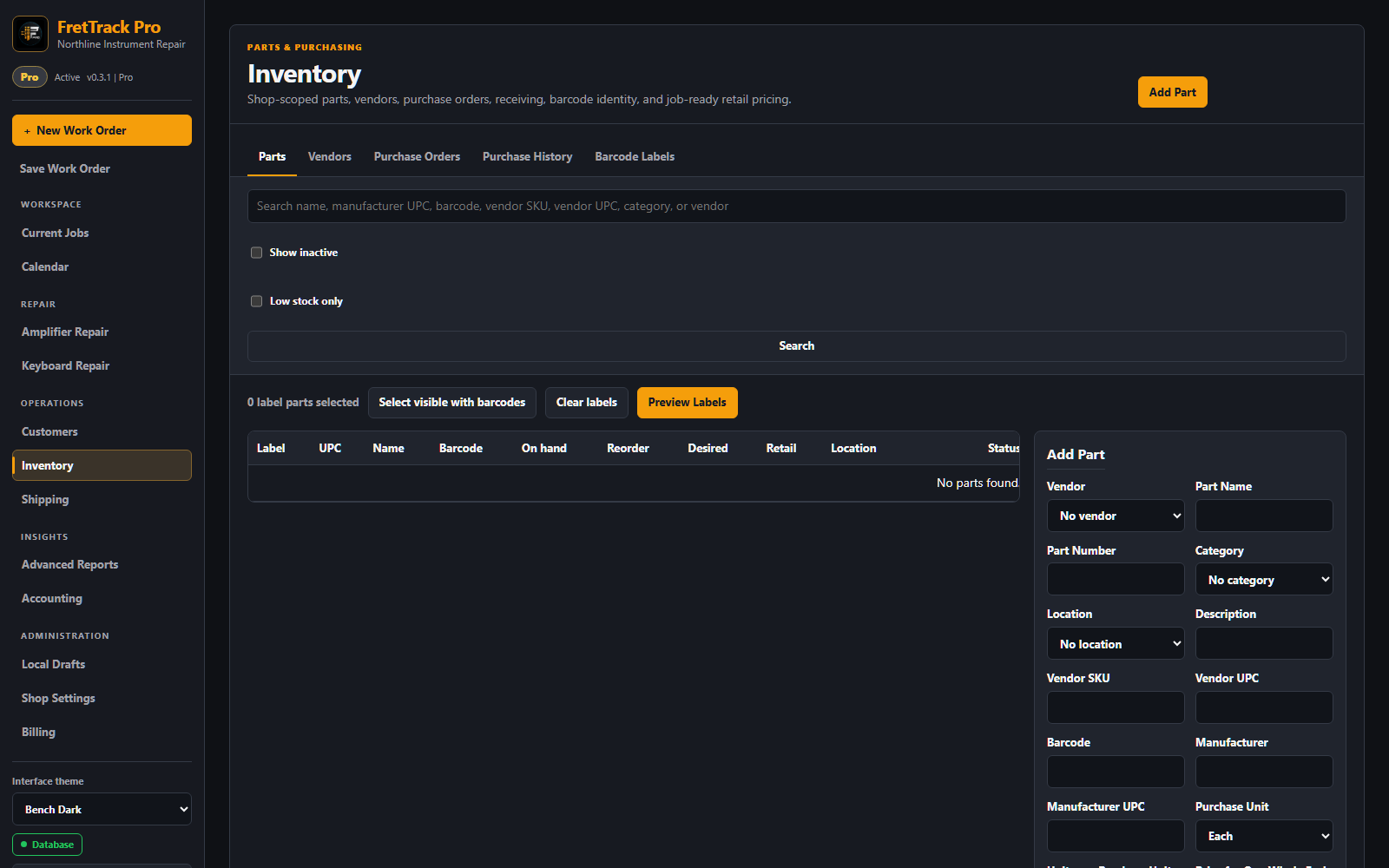
The responsive Inventory workspace shown with fictional shop data.
One inventory workspace
The current workspace hierarchy is a full-width Inventory page with a restrained tab rail for Parts, Reorder Planner, Vendors, Purchase Orders, Purchase History, Vendor Returns, and Barcode Labels. Parts search and label selection remain above a contained table beside the part editor; on smaller screens the table and editor stack without changing any inventory or purchasing behavior.
Parts
A part can include name, part number, vendor, category, location, description, Vendor SKU, Vendor UPC, Barcode, manufacturer, unit cost, retail price, quantity on hand, reorder point, desired stock, special-order status, an optional image, and an optional purchase unit with the number of individual inventory units it contains.
Search and labels
Parts can be searched by name, part number, vendor SKU, barcode, category, or location. Barcode labels use stable FretTrack part identity such as FT-PART plus the part barcode code.
Vendors and purchase orders
- Create or select a vendor.
- Create a purchase order.
- Add existing parts or create new inventory parts from PO lines.
- Enter quantity, unit cost, shipping cost, and notes.
- Receive full or partial quantities when items arrive.
Vendor records can include Vendor ID, contact, mobile and other phone, fax, email, website, full address, account number, terms, discount percentage, discount payer, Ship Via, store hours, time zone, typical lead time in days, notes, online-only status, and active status.
Receiving and landed cost
Receiving increases stock, records purchase history, and creates movement history. Purchase-order quantities use the saved purchase unit: receiving one 12-pack adds 12 individual inventory units. Partial receipts and historical receipts retain the conversion saved on their PO line even if the part setting changes later. When Add shipping to cost is enabled, inbound vendor shipping can be allocated into the received part cost.
Plan reorders without automatic purchasing
Open Inventory → Reorder Planner to review active stocked parts at or below their reorder point. FretTrack adds quantities still due on Ordered or Partially Received purchase orders, compares the projected stock with Desired Stock, and rounds the suggestion up to a whole vendor package. Draft and Cancelled POs do not count as incoming inventory.
Select the wanted parts under one vendor and choose Prepare draft PO. This opens the ordinary purchase-order editor with an unsaved Draft and clears the planner selection after handoff. Use Refresh suggestions whenever stock or purchase-order receipts changed; refreshing also clears selections and shows when the current plan was calculated. Review and edit the draft before saving or marking it ordered. FretTrack never contacts the vendor or orders automatically. Optional vendor lead times provide approximate arrival dates only.
Import or export vendors
Open Inventory → Vendors. Choose Export Vendors CSV to download the complete current directory, or choose Import Vendors and download the template. Select a CSV and preview it before importing. FretTrack accepts the template and common equivalents such as Vendor Name, Vendor ID, Account #, Mobile Phone, Other Phone, and a combined State/Zip field.
Only Ready and Warning rows can be imported. Missing vendor names, invalid emails, discounts outside 0–100%, and invalid time zones are blocked. Possible matches by Vendor ID, account number, email, phone, or vendor name are shown and skipped; the import never overwrites or merges an existing vendor automatically. Purchase orders and inventory records keep their existing vendor links.
Vendor returns
Open Inventory → Vendor Returns to create a draft return for one vendor. Add the inventory parts, whole-number quantities, unit costs, and any PO, RMA, reason, expected credit, or notes. A draft or Requested return does not change stock.
Enter tracking and choose Mark Shipped only when the parts leave the shop. FretTrack checks available stock, removes each quantity once, and keeps the linked stock movement as permanent history. When the vendor issues credit, record the actual amount and credit memo or reference. Vendor credit tracking does not change customer invoices, payments, or refunds.
Stock quantity safety
After a direct receive, stock adjustment, or purchase-order receipt, the open part editor refreshes its quantity and cost from the saved inventory result. Saving other part details afterward should preserve the new stock quantity.
Ordering for amplifier and keyboard jobs
Pro specialist repair benches can create a vendor purchase order linked to the current work order. Purchase quantity and package size describe what the vendor ships; job quantity describes what the customer repair needs. Receive the purchased package through Inventory first, then use Add to Parts & Payments on the specialist job to transfer only the saved job quantity into billing. Repeating a completed creation or fulfillment action reuses the existing linked record instead of creating another charge.
Permissions
Inventory write actions are controlled by shop role and shop access. Viewers can review inventory but should not create parts, receive purchase orders, adjust stock, or change vendor records.